Introduction
A Bank of America recruiter reach out to me today asking if I'd be interested in an opportunity there.
He mentioned Java & Spring Boot were requirements for the role.
I've used Java to implement a few native modules in React Native in the past.
I've also used it on Leetcode because it's a popular language in enterprise applications and I want to one day be able to work on that level.
Lastly I've built a few simple Android applications(Udemy tutorials).
So I decided to setup a new Spring Boot project on my local in order to familiarize myself with it.
There are many recommended IDEs for Java but I went with VSCode because it's what I'm familiar with and I wanted to move quickly.
I ended up having to install the following to be able to run it using VSCode
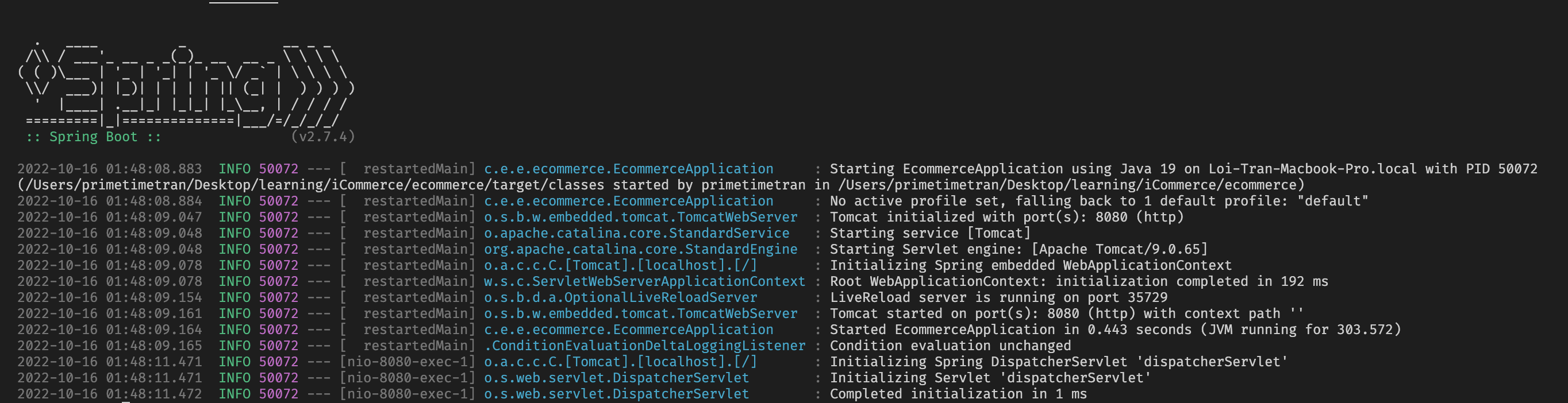
and find a running web server at http://localhost:8080.
Here are the steps I took to Hello World Spring Boot
Download and install Java SDK on my local
https://www.oracle.com/java/technologies/downloads/
Define path to the Java executable inside bash profile
JAVA_HOME="/Library/Java/JavaVirtualMachines/jdk-19.jdk/Contents/Home" PATH="${JAVA_HOME}/bin:${PATH}" export PATH
Install Java extension pack for VSCode
https://marketplace.visualstudio.com/items?itemName=vscjava.vscode-java-pack
Install Spring Initializr for VSCode
This extension allows you to generate new Spring projects sorta like
npx create-react-app allows you to generate new React projects.
https://code.visualstudio.com/docs/java/java-spring-boot
Use Spring Initializr to generate a new Spring application
This tool creates a directory with a bunch of config files. In this way it's similar to Ruby on Rails/Django/.Net
.├── HELP.md├── mvnw├── mvnw.cmd├── pom.xml├── src│ ├── main│ │ ├── java│ │ │ └── com│ │ │ └── example│ │ │ └── restapi│ │ │ └── demo│ │ │ ├── DemoApplication.java│ │ └── resources│ │ ├── application.properties│ │ ├── static│ │ └── templates│ └── test│ └── java│ └── com│ └── example│ └── restapi│ └── demo│ └── DemoApplicationTests.javaThe directory is familiar to Android developers as both Android and Spring use Gradle
The most important file is DemoApplication.java which is the entrypoint to
our application.
Define new route/api/endpoint
In order to create additional endpoints we just have to define a controller at
the same path as this file. In my case I created GreetingController.java.
Additional I defined Greeting.java
.├── HELP.md├── src│ ├── main│ │ ├── java│ │ │ └── com│ │ │ └── example│ │ │ └── restapi│ │ │ └── demo│ │ │ ├── DemoApplication.java│ │ │ ├── Greeting.java│ │ │ └── GreetingController.javaImplement Greeting.java class
Java is a lot more verbose than languages such as Python, Ruby, JS. I guess this is why boot camps prefer those languages for beginners.
package com.example.restapi.demo; public class Greeting { private final long id; private final String content; public Greeting(long id, String content) { this.id = id; this.content = content; } public long getId() { return id; } public String getContent() { return content; }}Implement GreetingController.java class
Here's the controller which defines the endpoint we use to test the application,
http://localhost:8080/greeting.
package com.example.restapi.demo; import java.util.concurrent.atomic.AtomicLong; import org.springframework.web.bind.annotation.GetMapping;import org.springframework.web.bind.annotation.RequestParam;import org.springframework.web.bind.annotation.RestController; @RestControllerpublic class GreetingController { private static final String template = "Hello, %s!"; private final AtomicLong counter = new AtomicLong(); @GetMapping("/greeting") public Greeting greeting(@RequestParam(value = "name", defaultValue = "World") String name) { return new Greeting(counter.incrementAndGet(), String.format(template, name)); }}Should now see logs in the console