Introduction
Adding a message queue to your system provides several key benefits:
-
Decoupling
- Producers (services that send messages) and consumers (services that receive messages) do not need to be aware of each other’s implementation or even be available at the same time. This decoupling allows each component to be modified, scaled, or redeployed independently.
-
Asynchronous Processing
- Producers can send messages to the queue and continue processing without waiting for the consumer to finish its work. This improves response times and user experience.
-
Load Leveling (Buffering)
- When there is a spike in demand, the queue acts as a buffer, preventing consumers from being overwhelmed. This smooths out load and reduces system bottlenecks.
-
Scalability
- Consumers can be added dynamically to process messages faster if the queue grows too large, enabling horizontal scaling.
-
Reliability and Durability
- Most message queues provide persistence, ensuring that messages are not lost if a consumer fails. They are stored safely until they are successfully processed.
-
Retry and Error Handling
- Failed message processing can be retried automatically, and unprocessable messages can be redirected to a "dead letter queue" for analysis.
-
Event-Driven Architecture Support
- Message queues make it easier to implement event-driven systems, where components react to events as they happen.
-
Transaction Support
- Some message queue systems allow for transactions, ensuring that messages are processed exactly once, even in the event of a failure.
-
Reduced Coupling Time Dependencies
- Services don’t need to be up and running at the same time. A producer can send a message to the queue, and the consumer can process it when it becomes available.
-
Monitoring and Analytics
- Many message queue systems offer tools to monitor message flow, processing times, and bottlenecks, which can be invaluable for debugging and optimization.
Key Components:
- Flask - Handles HTTP requests.
- Redis Queue (RQ) - Manages asynchronous database writes.
- SQLAlchemy - Stores the messages.
- Worker Task (save_message) - Runs in the background to write to the DB.
Tutorial
1. Setup Project
Create standard Flask project & install dependencies. While here create the files which'll hold our message queue logic.
mkdir system_design_message_queuecd system_design_message_queuepython3 -m venv venvsource venv/bin/activatepip3 install Flask flask_sqlalchemy rq redis rq_dashboardtouch app.py task_queue.py models.py worker.py2. Define Entrypoint
The app entrypoint. We instantiate the queue on line 13-14 & then use it on lines 27-28.
1from flask import Flask, request, jsonify2from redis import Redis3from rq import Queue4import rq_dashboard5 6from models import db, Message7 8app = Flask(__name__)9app.config["SQLALCHEMY_DATABASE_URI"] = "sqlite:///messages.db"10app.config.from_object(rq_dashboard.default_settings)11 12db.init_app(app)13redis_conn = Redis()14queue = Queue(connection=redis_conn)15 16with app.app_context():17 db.create_all()18 19 20@app.route("/add_message", methods=["POST"])21def add_message():22 data = request.get_json()23 if not data or "content" not in data:24 return jsonify({"error": "Content is required"}), 40025 26 content = data["content"]27 job = queue.enqueue("task_queue.save_message", content)28 return jsonify({"message": "Message enqueued", "job_id": job.get_id()}), 20229 30 31@app.route("/messages", methods=["GET"])32def get_messages():33 messages = Message.query.all()34 return jsonify(35 [{"id": m.id, "content": m.content, "timestamp": m.timestamp} for m in messages]36 )37 38 39if __name__ == "__main__":40 app.run(debug=True)3. Define task_queue.py
This is the worker which'll handle the processing of business logic from the queue(assuming we call task_queue.save_message). Read the RQ Docs to learn more about how it works.
1def save_message(content):2 from app import app, db, Message3 4 with app.app_context():5 message = Message(content=content)6 db.session.add(message)7 db.session.commit()4. Define models.py
A simple SQLAlchemy model for persisting our messages to disk.
1from flask_sqlalchemy import SQLAlchemy2from datetime import datetime3 4db = SQLAlchemy()5 6class Message(db.Model):7 id = db.Column(db.Integer, primary_key=True)8 content = db.Column(db.String(255), nullable=False)9 timestamp = db.Column(db.DateTime, default=datetime.utcnow)5. Startup App/Worker/Dashboard
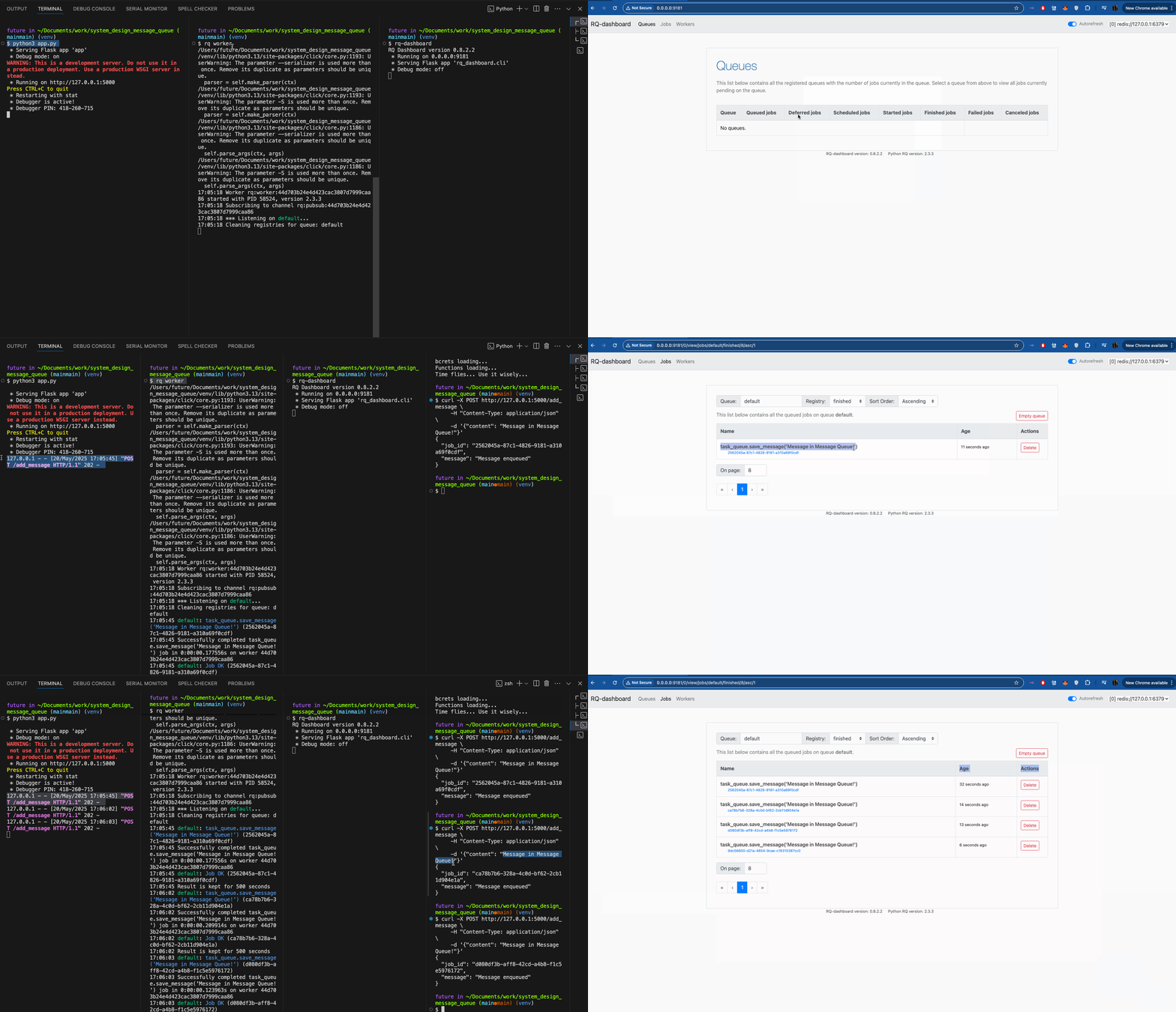
python3 app.pyrq worker # new windowrq-dashboard # new window6. Create Test Message
curl -X POST http://127.0.0.1:5000/add_message \ -H "Content-Type: application/json" \ -d '{"content": "Hello from Flask Queue!"}' { "job_id": "092f6680-67ac-4da6-bc0e-c05171b908b6", "message": "Message enqueued"}Conclusion
You should not see that you can add messages to the queue using a simple curl request. It took relatively little code. Nice~!